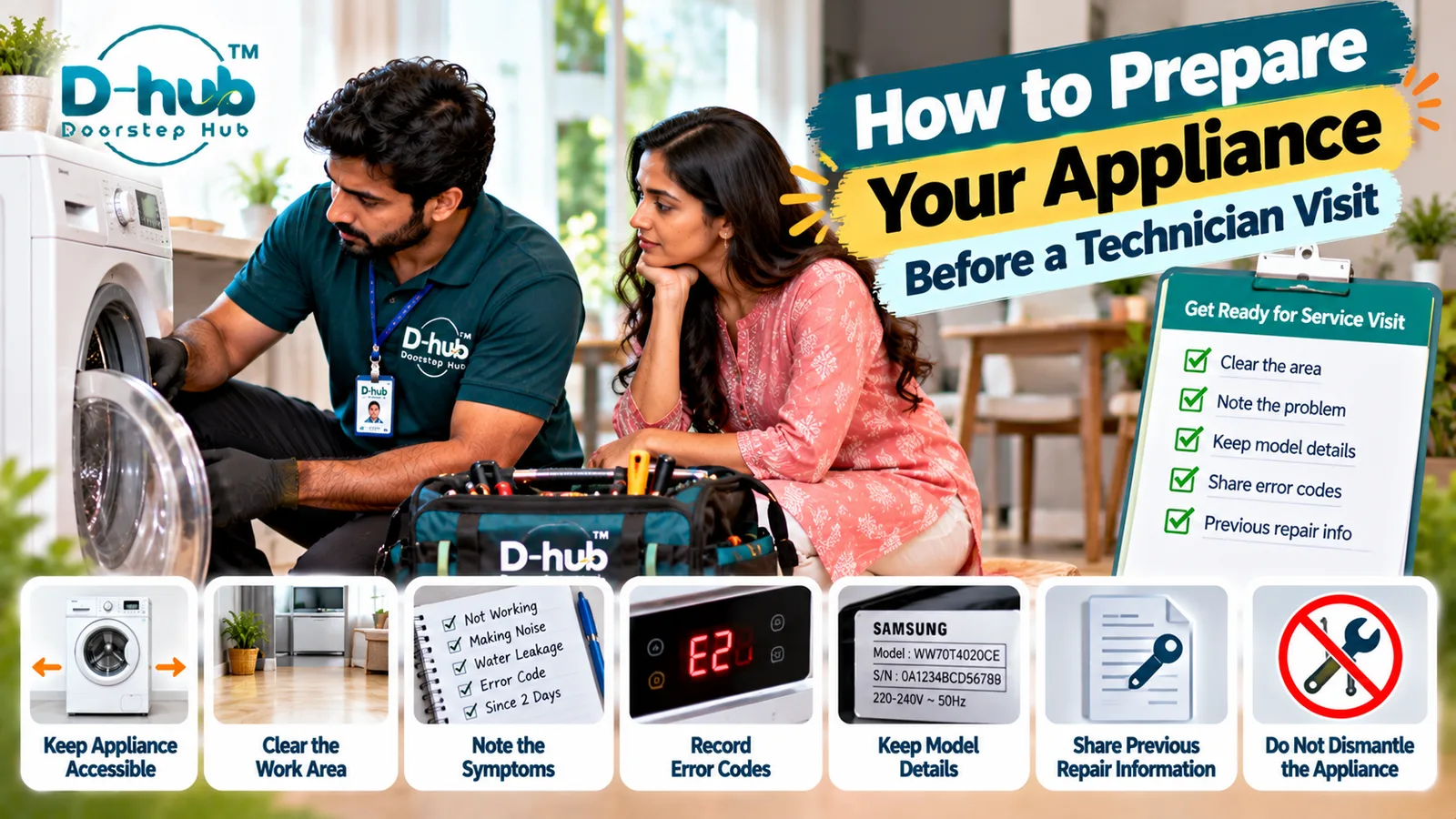
Preparing your appliance and service area before a technician arrives can help make the inspection process safer, more organized, and easier to complete. Whether the appointment is for an air conditioner, refrigerator, washing machine, microwave, television, water purifier, geyser, laptop, or another home appliance, providing clear access and useful information about the problem can help the technician understand the issue more efficiently. Before the visit, note what the appliance is doing, when the problem started, any error codes displayed, unusual sounds or smells, whether the problem occurs continuously or intermittently, and any troubleshooting already attempted.
You do not need to dismantle or attempt internal repairs before the service appointment. Instead, keep the appliance accessible, clear unnecessary objects from the surrounding work area, and have relevant appliance details available where possible. Doorstep Hub brings you this practical preparation guide to help you get ready for an appliance technician visit and provide the information a service professional may need for effective diagnosis.
Why Should You Prepare Before an Appliance Technician Arrives?
A little preparation can make it easier for the technician to access, inspect, and understand the appliance problem.
Before the appointment, consider preparing:
- A clear path to the appliance
- Enough working space around it
- A description of the problem
- Error codes or warning messages
- Details about unusual sounds or smells
- Approximate time the problem started
- Appliance brand and model information
- Previous repair information, if available
- Relevant warranty or service information
- Safe access to the service area
Do not dismantle the appliance simply to prepare it for the technician.
1. Keep the Appliance Easily Accessible
Make sure the technician can safely reach the appliance.
Remove unnecessary objects that may obstruct access around:
- Refrigerator
- Washing machine
- Microwave
- Television
- Air conditioner
- Water purifier
- Geyser
- Laptop or computer
- Other supported appliances
You generally do not need to move a large or heavy appliance yourself. Clear movable objects around it and allow the technician to determine whether further access is necessary.
2. Clear the Work Area
A clean and organized service area can provide the technician with sufficient space for inspection and tools.
Before the visit:
- Remove unnecessary household items.
- Keep fragile objects away from the work area.
- Keep cables and loose objects organized.
- Provide reasonable access to nearby connections where required.
- Keep children and pets away from the immediate service area during inspection.
This can help create a safer environment for everyone.
3. Write Down the Appliance Symptoms
Try to describe exactly what is happening rather than simply saying that the appliance is "not working."
Useful information can include:
- Appliance does not switch on
- Cooling is weak
- Water is leaking
- Appliance makes unusual noise
- Display is flickering
- Machine does not spin
- Microwave does not heat
- TV has sound but no picture
- Laptop overheats
- Appliance shuts down unexpectedly
Clear symptom information can help the technician understand where to begin the diagnosis.
4. Note When the Problem Started
Try to remember when you first noticed the issue.
Also consider whether the problem:
- Started suddenly
- Developed gradually
- Happens continuously
- Occurs only occasionally
- Appears after extended use
- Started after a power interruption
- Began after moving the appliance
- Appeared after a previous repair or maintenance visit
These details may provide useful diagnostic context.
5. Record Error Codes and Warning Messages
If the appliance displays an error code or warning message, write it down or take a clear photo before the technician arrives.
Do not repeatedly reset the appliance solely to remove an error message.
Error information can be useful when inspecting modern washing machines, refrigerators, air conditioners, microwaves, water purifiers, laptops, and other electronically controlled appliances.
6. Remember Any Unusual Sounds or Smells
Tell the technician if you noticed anything unusual before the appliance stopped working correctly.
Examples include:
- Clicking
- Grinding
- Buzzing
- Rattling
- Squealing
- Excessive vibration
- Burning smell
- Electrical smell
- Unusual heat
If you notice smoke, sparking, a burning smell, electrical damage, or severe overheating, stop using the appliance and avoid repeatedly switching it on.
7. Keep the Brand and Model Details Available
Appliance identification information can help when checking specifications or compatible replacement parts.
Where safely accessible, keep details such as:
- Brand
- Model number
- Product or serial information
- Approximate purchase date
- User manual, if available
Do not move or dismantle a heavy appliance just to locate a hidden label.
8. Keep Previous Repair Information Ready
If the appliance has been repaired previously, tell the technician about the earlier problem and repair.
Useful information can include:
- Previous fault
- Components replaced
- Approximate repair date
- Whether the same problem has returned
- Previous service documents, if available
Repair history can help provide additional context during diagnosis.
9. Don't Dismantle the Appliance Before the Visit
Avoid opening appliance panels or removing internal components unless specifically instructed by an appropriately qualified professional.
Internal appliance systems may contain:
- Electrical components
- High-voltage components
- Sharp edges
- Refrigerant systems
- Heating components
- Moving mechanical parts
- Delicate electronic boards
Unnecessary dismantling can create safety risks and may make diagnosis more difficult.
10. Make Sure Someone Can Explain the Problem
Where possible, someone familiar with the appliance problem should be available during the service visit.
Be ready to explain:
- What happened
- When it started
- How frequently it occurs
- What troubleshooting has already been attempted
- Whether any error codes appeared
- Whether there were unusual noises, smells, leaks, or overheating
Clear information can help the technician understand the history of the problem.
What Should You Avoid Before the Technician Arrives?
To keep the appliance and service area safer:
- Don't attempt complex DIY repairs.
- Don't open electrical panels unnecessarily.
- Don't repeatedly operate an appliance showing serious warning signs.
- Don't hide previous repair history.
- Don't clear error codes without recording them first.
- Don't move heavy appliances unnecessarily.
- Don't use damaged plugs or cables.
- Don't continue operating an appliance that is smoking, sparking, or producing a burning smell.
The objective is to make the appliance accessible—not to repair it before the technician arrives.
What Information Should You Give the Technician?
A simple summary can be extremely useful.
For example:
"The washing machine started making a grinding noise two days ago. It now stops before the spin cycle and shows an error code. I restarted it once, but the problem returned."
This is more useful than simply saying the washing machine is broken because it describes the symptom, timeline, operating stage, error information, and troubleshooting already attempted.
Before Your Doorstep Hub Service Appointment
If you have requested appliance service through Doorstep Hub, keep the appliance accessible and prepare the relevant problem details before the service professional arrives.
Depending on the appliance and problem, having the brand, model details, error code, previous repair information, symptoms, and approximate problem timeline available can support the diagnostic process.
Need Appliance Repair Support?
📞 Helpline: 8886688666
🌐 Website: doorstephub.com
📲 Doorstep Hub App: Open Doorstep Hub App
A few minutes of preparation before the technician visit can help create a clearer and safer service environment. Keep the area accessible, record the symptoms, and leave internal inspection and repair to appropriately trained professionals.
Frequently Asked Questions
Common troubleshooting questions answered by our specialists
Was this article helpful?
Your feedback helps us improve our repair guides and service tips.