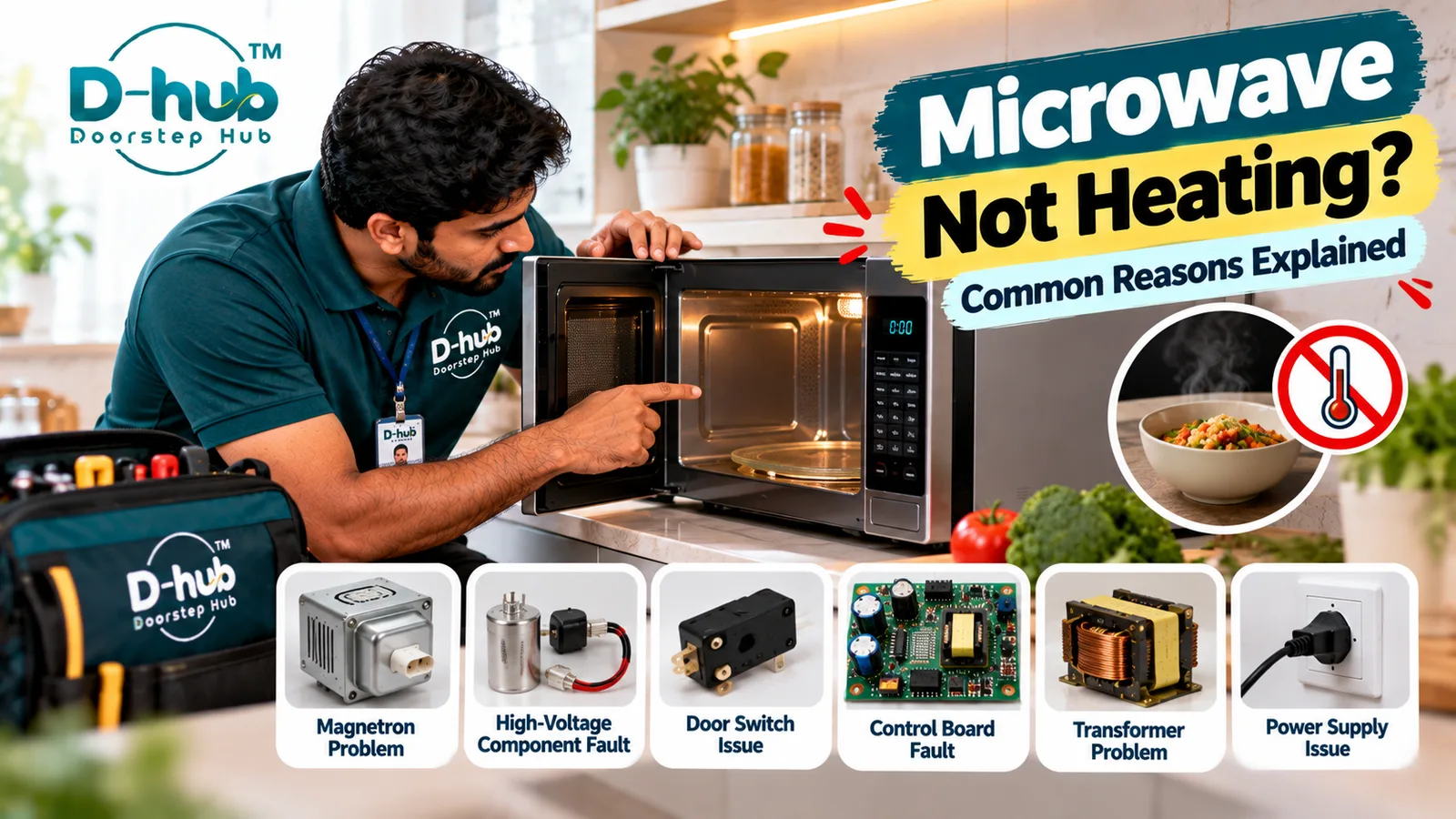
A microwave that switches on, lights up, rotates the turntable, or appears to complete a normal cooking cycle but does not heat food properly can have several possible causes. Sometimes the problem may involve a simple power, settings, or door-closing issue, while other cases may involve internal components such as the door switches, magnetron, high-voltage diode, capacitor, transformer, control board, or power-supply components. A microwave that runs normally but leaves food cold or only slightly warm should not be repeatedly operated until the reason for the heating problem is understood.
Unlike many basic appliance troubleshooting tasks, microwave repairs require additional caution because microwave ovens contain high-voltage electrical components that can remain dangerous even after the appliance has been unplugged. Doorstep Hub brings you this practical guide to understanding common reasons a microwave may stop heating, which external checks you can safely perform, and why internal microwave diagnosis and repair should be handled by trained service professionals.
Why Is My Microwave Running but Not Heating?
A microwave requires several electrical and electronic components to work together to generate heat safely.
If the appliance appears to operate but food remains cold, possible causes include:
- Incorrect cooking settings
- Power-supply problems
- Door not closing correctly
- Faulty door switch
- Magnetron problem
- High-voltage diode fault
- Capacitor problem
- Transformer or inverter issue
- Control-board fault
- Other internal electrical problems
Because many of these components operate within a high-voltage system, internal troubleshooting should not be attempted at home.
1. Check the Microwave Cooking Settings
Before assuming that an internal component has failed, verify that the correct cooking mode, power level, and cooking time have been selected.
Some microwave models include:
- Timer-only modes
- Defrost settings
- Reduced power levels
- Combination cooking modes
- Demonstration or showroom modes
- Other specialized programs
Review the manufacturer's operating instructions to confirm that the microwave is configured for normal heating.
2. Check the Power Supply
Make sure the microwave is receiving a stable power supply and is connected according to the manufacturer's instructions.
If the microwave repeatedly loses power, resets, switches off unexpectedly, or causes an electrical protection device to trip, stop using it and arrange appropriate inspection.
Avoid using damaged power cables, plugs, or unsafe extension arrangements.
3. Make Sure the Microwave Door Closes Properly
Microwave ovens contain safety mechanisms that monitor whether the door is properly closed.
Check for obvious problems such as:
- Food particles around the door
- Objects preventing complete closure
- Visible latch damage
- Door not aligning correctly
- Door requiring unusual force to close
Do not operate a microwave with a visibly damaged door, latch, or sealing area.
4. Can a Faulty Door Switch Stop a Microwave From Heating?
Yes. Microwave ovens generally use safety switches associated with the door mechanism.
If a door switch or related component is faulty, the appliance may not operate as intended.
Possible symptoms may include:
- Microwave not starting
- Intermittent operation
- Heating not beginning normally
- Unusual behavior when the door is opened or closed
Door-switch diagnosis requires access to internal electrical components and should be handled professionally.
5. Can a Magnetron Problem Cause No Heating?
The magnetron is an important component involved in generating microwave energy used for heating food.
A magnetron-related fault can result in a microwave that appears to run but does not heat correctly.
However, a no-heating symptom does not automatically mean that the magnetron has failed. Other high-voltage or control components can create similar symptoms.
Professional testing is necessary before deciding which component requires repair or replacement.
6. High-Voltage Components Can Cause Heating Problems
Depending on the microwave design, the heating system may involve components such as:
- High-voltage diode
- High-voltage capacitor
- Transformer
- Inverter system
- Magnetron
A failure within this system may prevent the microwave from heating.
These components can present serious electrical hazards, including after the microwave has been disconnected from power.
They should only be inspected by appropriately trained professionals.
7. Can the Control Board Cause a Microwave Heating Problem?
Yes. The electronic control system manages cooking programs and communicates with various microwave components.
A control-related fault may contribute to symptoms such as:
- Microwave runs but does not heat
- Cooking cycle stops unexpectedly
- Controls behave abnormally
- Buttons become unresponsive
- Error codes appear
- Appliance operates intermittently
Electronic components should be properly diagnosed before replacement.
8. Why Is My Microwave Heating Food Very Slowly?
A microwave that heats food but takes significantly longer than usual may also require attention.
Before arranging repair, confirm:
- The correct power level is selected.
- The cooking time is appropriate.
- The amount of food is reasonable.
- Suitable microwave-safe cookware is being used.
If heating performance has noticeably decreased despite normal settings and usage, professional inspection may be appropriate.
9. Stop Using the Microwave if You Notice Warning Signs
Do not continue operating the microwave if you notice potentially unsafe symptoms such as:
- Burning smell
- Smoke
- Sparking
- Visible electrical damage
- Damaged power cable
- Damaged door or latch
- Repeated electrical tripping
- Unusual loud electrical sounds
Switch the appliance off safely and arrange professional inspection.
10. Never Open a Microwave for DIY Repair
A microwave is not an appropriate appliance for DIY internal electrical repair.
Even after being unplugged, certain internal components may retain hazardous electrical energy.
Do not attempt to inspect, test, repair, or replace:
- Magnetron
- High-voltage capacitor
- High-voltage diode
- Transformer
- Inverter components
- Internal wiring
- Door-switch circuits
- Control board
Use a trained microwave service professional for internal diagnosis.
When Should You Call a Microwave Technician?
Consider professional microwave inspection when:
- The microwave runs but does not heat
- Food remains cold after a normal cooking cycle
- Heating has become unusually slow
- The microwave operates intermittently
- The door does not close correctly
- An error code appears
- The appliance produces unusual electrical sounds
- There is a burning smell or sparking
- The microwave repeatedly trips the electrical supply
- Basic external checks do not solve the problem
A trained technician can appropriately inspect the door switches, magnetron, high-voltage system, inverter or transformer, control board, power supply, and other relevant components.
Professional Microwave Repair Support with Doorstep Hub
If your microwave switches on but does not heat food properly, Doorstep Hub can help you connect with service professionals for microwave inspection, troubleshooting, servicing, and repair assistance.
Whether the problem involves a door-switch fault, magnetron problem, high-voltage component, control-board issue, power-supply fault, or another microwave heating problem, professional diagnosis can help identify the actual cause and the appropriate repair.
Because microwave ovens contain potentially hazardous high-voltage components, avoid opening the appliance yourself even if it has been disconnected from power.
Need Microwave Repair Support?
📞 Helpline: 8886688666
🌐 Website: doorstephub.com
📲 Doorstep Hub App: Open Doorstep Hub App
Check the cooking settings, power supply, and door closure first. If your microwave still runs without heating, stop attempting internal troubleshooting and arrange professional inspection.
Frequently Asked Questions
Common troubleshooting questions answered by our specialists
Was this article helpful?
Your feedback helps us improve our repair guides and service tips.