Choosing a salon or beauty service provider is easier when you review the information available before confirming your appointment.
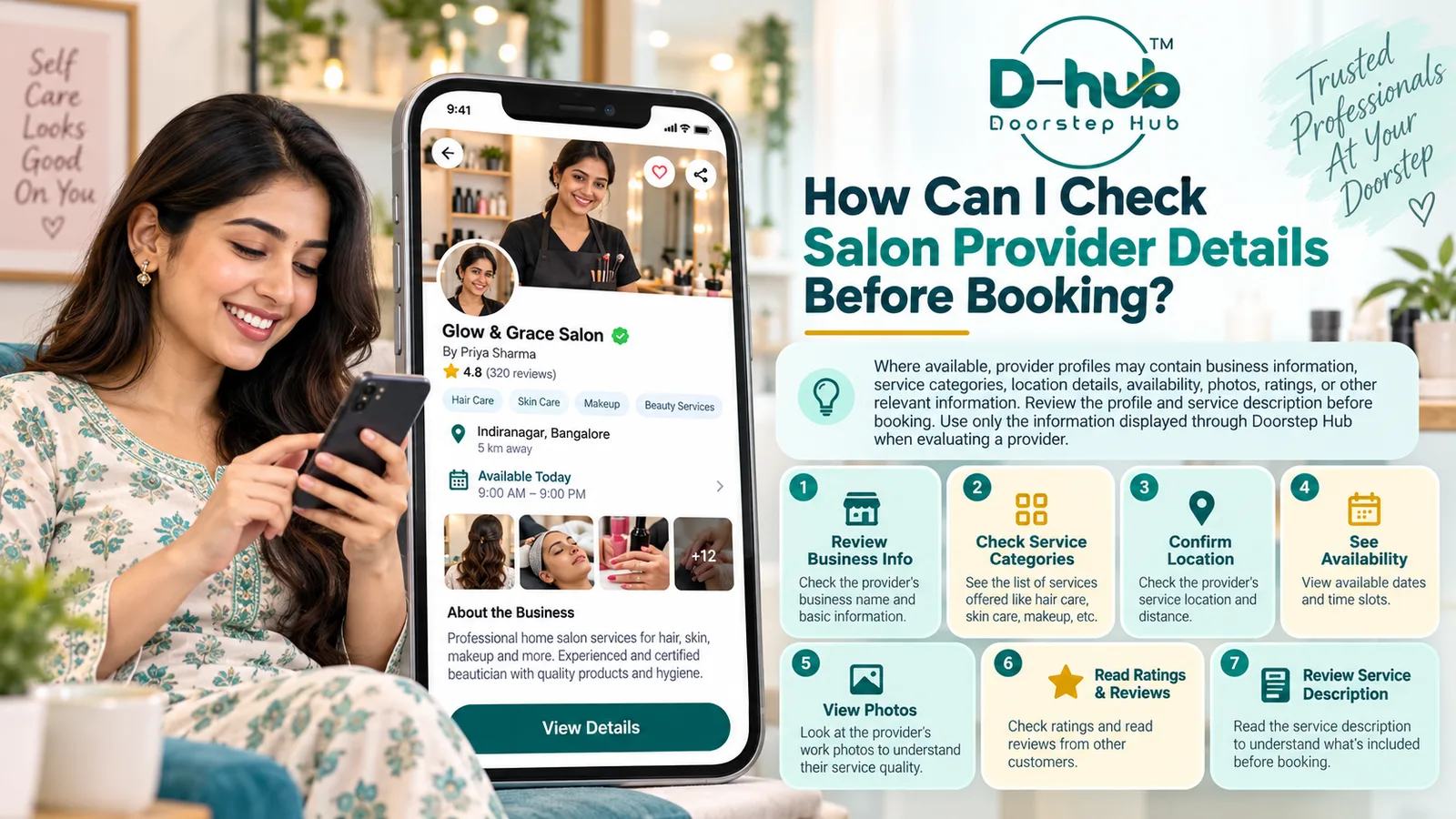
Where supported, Doorstep Hub provider profiles may show details such as business information, service categories, location, availability, photos, ratings, and other useful information. Reviewing these details can help you better understand the provider and the services offered.
1. Open the Provider Profile
When viewing a salon or beauty service, open the available provider profile before booking.
The profile may contain information such as:
- Provider or salon name
- Business information
- Service categories
- Location
- Availability
- Photos
- Ratings
- Other relevant details
The exact information shown may vary depending on the provider and the features available on Doorstep Hub.
2. Review the Business Information
Where business information is displayed, review it carefully.
This may help you understand:
- Who is providing the service
- The salon or business name
- The type of services offered
- Relevant business details shown on the profile
Use the information displayed through Doorstep Hub when evaluating the provider.
3. Check the Available Service Categories
Review the service categories listed on the provider profile.
These may include services such as:
- Haircut
- Hair styling
- Hair colouring
- Grooming
- Facial
- Cleanup
- Manicure
- Pedicure
- Hair treatment
- Bridal or event services
- Other beauty treatments
Make sure the provider offers the type of service you actually need.
4. Review the Service Description
Do not rely only on the provider profile.
Open the specific service you are considering and read the full description.
Check:
- What the service includes
- Available variations
- Estimated duration where shown
- Price where displayed
- Additional options
- Relevant preparation information
- Any other service-specific details
The provider profile and service description should be reviewed together before booking.
5. Check the Provider Location
Where location information is available, confirm that the provider is suitable for your preferred area.
Review information such as:
- Salon location
- Service area
- Available branch or location
- Doorstep availability where specifically offered
Do not assume that every provider offers at-home services unless this is clearly shown.
6. Review Appointment Availability
Where availability is displayed, check whether the provider has a suitable date and time for your appointment.
Availability may vary depending on:
- Service type
- Provider schedule
- Day of the week
- Appointment duration
- Existing bookings
Choose from the available time slots shown during the booking process.
7. Review Provider Photos
Where photos are available, they may provide additional information about the provider or salon.
Photos may show:
- Salon environment
- Service areas
- Facilities
- Work examples where applicable
- Other relevant provider information
Use the photos together with the written profile details rather than relying on images alone.
8. Review Ratings Where Available
Some provider profiles may display ratings or related feedback information.
Where shown, ratings can provide additional context when comparing available providers.
However, ratings should be considered together with other information such as:
- Service description
- Location
- Availability
- Pricing
- Provider details
- Your specific requirement
Do not make a booking decision based only on a single profile element.
9. Compare Providers When Multiple Options Are Available
If several providers offer the same or similar service, compare the information displayed for each one.
You may compare:
- Services offered
- Location
- Availability
- Price
- Service details
- Provider information
- Photos
- Ratings where available
This can help you select an option that better matches your requirements.
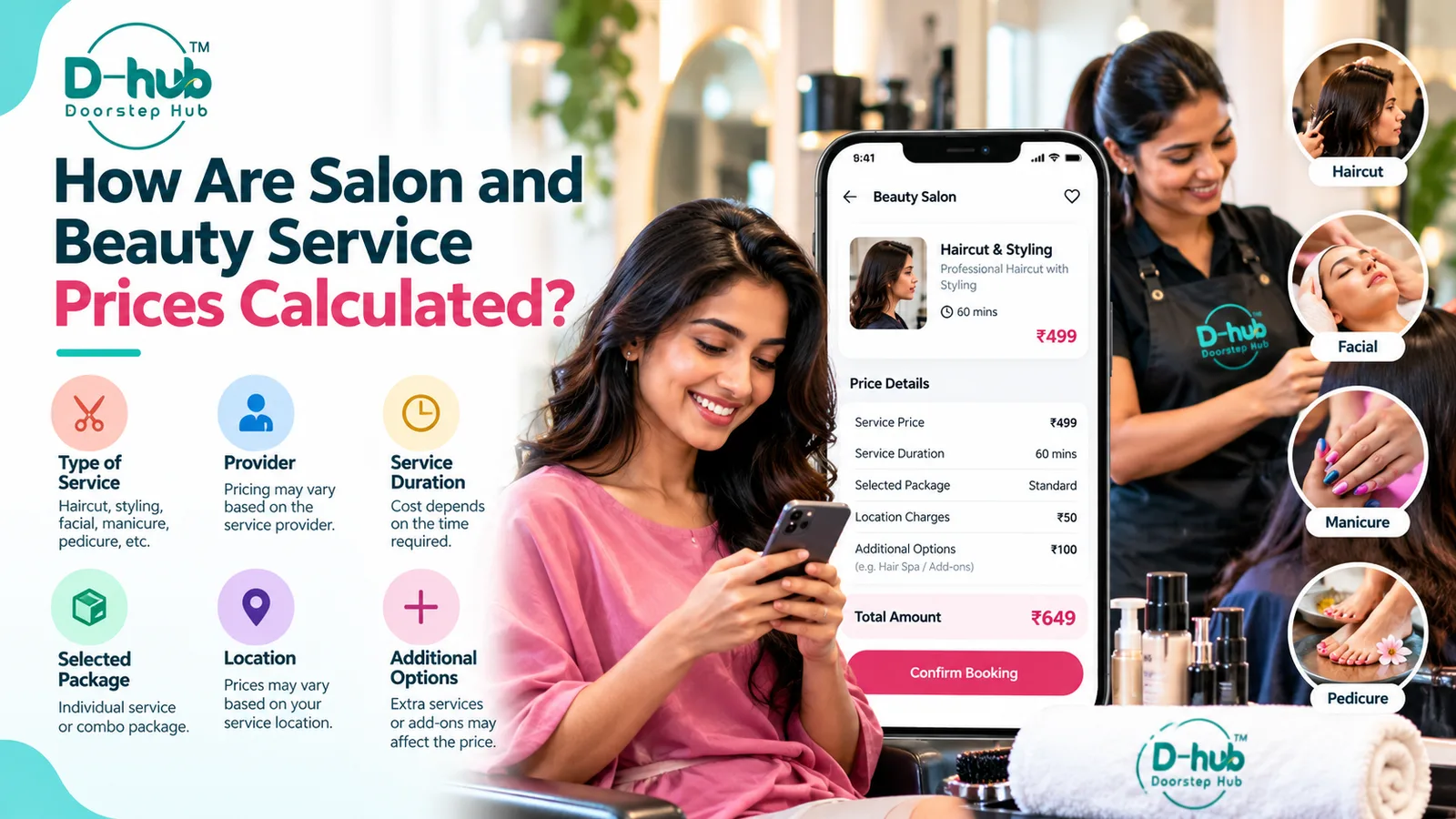
10. Check the Exact Service Price
Provider profiles may contain general information, while the actual service price may depend on the specific service you select.
Before booking, verify:
- Selected service
- Package
- Service variation
- Provider
- Location
- Additional options
- Displayed price
Always review the final booking information before confirming.
11. Confirm What Is Included
Two providers may offer services with similar names but different inclusions.
Check whether the selected service includes everything you expect.
For example, a hair service may include different combinations of:
- Hair wash
- Haircut
- Blow-dry
- Styling
Similarly, facial, grooming, manicure, or pedicure services may include different treatment steps.
Read the description rather than assuming all providers offer identical services.
12. Use Doorstep Hub Information When Evaluating Providers
When reviewing a provider, rely on the information made available through Doorstep Hub.
This may include:
- Provider profile
- Service information
- Location
- Availability
- Photos
- Ratings
- Displayed pricing
- Other relevant details
Avoid making assumptions about a provider based on information that is not shown or verified through the platform.
13. Check for Updated Information Before Booking
Provider details, availability, and service options may change.
Before completing your booking, review the current information shown on Doorstep Hub.
Make sure:
- The service is still available
- The selected provider is correct
- The location is suitable
- Your preferred appointment slot is available
- The displayed service details still match your requirement
Current information is more useful than details you may have seen previously.
14. Contact the Provider When Clarification Is Needed
Where communication options are available, you may contact the provider if an important service detail is unclear.
You might ask about:
- What the service includes
- Product options
- Appointment duration
- Preparation requirements
- Service suitability
- Additional costs where relevant
Use the available communication options appropriately and keep questions focused on the service.
15. Review Everything Before Confirming
Before completing the booking, review the full selection one more time.
Check:
- Provider
- Service
- Service description
- Location
- Appointment date
- Appointment time
- Price
- Selected options
Correct any mistakes before confirming.
Why Reviewing Provider Details Matters
Checking available provider information can help you better understand the service before booking.
It can help you:
- Confirm the provider offers the required service
- Review location and availability
- Understand service inclusions
- Compare available options
- Review photos and ratings where available
- Check displayed pricing
- Make a more informed booking decision
The goal is to use the information available through Doorstep Hub to choose a provider that matches your service requirements.
Review Salon Providers Through Doorstep Hub
Before booking a salon or beauty service through Doorstep Hub, review the provider profile and the specific service description.
Where available, check the business information, service categories, location, appointment availability, photos, ratings, pricing, and other relevant details displayed through the platform.
Use the information available on Doorstep Hub when evaluating a provider and confirm your final service details before completing the booking.
Need Help with Your Doorstep Hub Booking?
📞 Helpline: 8886688666
🌐 Website: doorstephub.com
📲 Download the Doorstep Hub App
Reviewing provider and service information carefully can help you choose a salon or beauty service with greater clarity.
Frequently Asked Questions
Common troubleshooting questions answered by our specialists
Was this article helpful?
Your feedback helps us improve our repair guides and service tips.