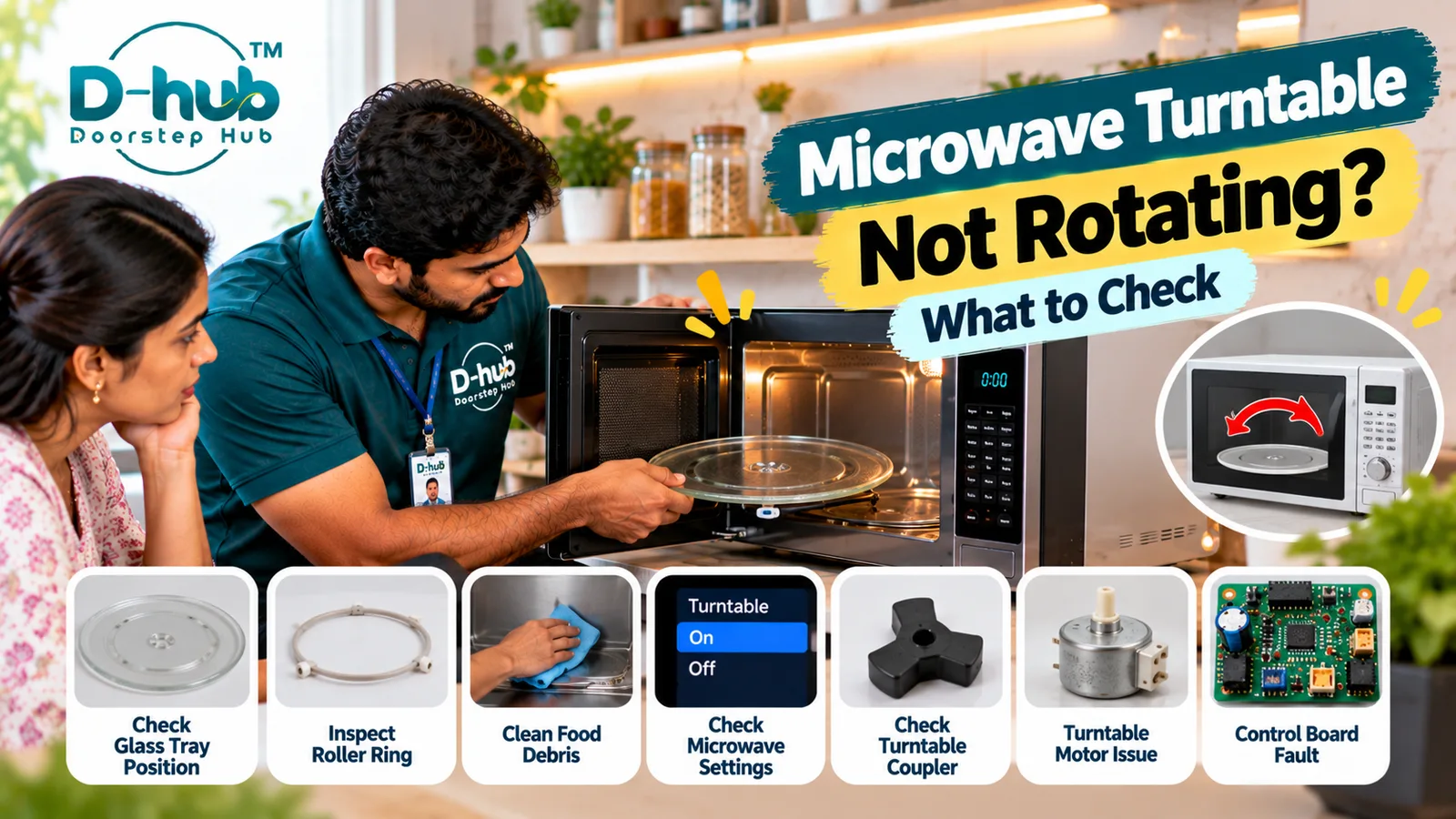
A microwave turntable helps food rotate during cooking so microwave energy can be distributed more evenly. If the glass tray stops rotating while the microwave is running, it does not always mean that the appliance has developed a major fault. In many cases, the problem may be caused by an incorrectly positioned glass tray, a displaced roller ring, food debris preventing smooth movement, or a microwave setting that intentionally disables turntable rotation. However, if these simple checks do not solve the problem, the cause may involve the turntable coupler, drive motor, door switch, control board, or another internal component.
Before arranging a repair, there are several external checks you can perform safely without dismantling the microwave. Doorstep Hub brings you this practical troubleshooting guide to help you understand why your microwave turntable may not be rotating, what you can safely inspect at home, and when professional microwave repair assistance may be required.
Why Is My Microwave Turntable Not Rotating?
The microwave turntable system typically uses a glass tray supported by a roller ring and connected to a drive mechanism underneath.
If any part of this system is incorrectly positioned, obstructed, damaged, or unable to operate, the tray may stop rotating.
Common causes can include:
- Glass tray positioned incorrectly
- Roller ring out of position
- Food debris underneath the tray
- Turntable function disabled
- Damaged turntable coupler
- Turntable motor problem
- Door-switch problem
- Control-board fault
- Internal electrical issue
Start with the components designed for normal user access before considering an internal fault.
1. Check the Glass Turntable Position
The glass tray should sit correctly on the turntable support system.
Remove and reposition the tray according to the manufacturer's instructions.
Make sure:
- The tray sits evenly.
- It is properly connected to the center drive mechanism.
- Nothing is trapped underneath it.
- The tray does not appear visibly damaged.
An incorrectly seated glass tray may fail to rotate even when the drive system is operating.
2. Inspect the Roller Ring
Many microwave turntables use a circular roller ring underneath the glass tray.
If the ring is incorrectly positioned, dirty, damaged, or obstructed, the glass tray may struggle to rotate smoothly.
Check whether:
- The roller ring is correctly positioned.
- The wheels move freely.
- Food particles are trapped around the rollers.
- The ring is visibly damaged.
Reinstall it correctly before replacing the glass tray.
3. Clean Under the Microwave Turntable
Food particles, grease, and dried spills can collect underneath the glass tray.
This debris may restrict the movement of the roller ring or turntable.
Before cleaning:
- Switch off the microwave.
- Follow the manufacturer's cleaning instructions.
- Remove the glass tray carefully.
- Clean accessible food debris and spills.
- Dry the area appropriately.
- Reinstall the roller ring and glass tray correctly.
Avoid allowing excessive moisture to enter openings or internal electrical areas.
4. Check Whether Turntable Rotation Is Disabled
Some microwave models provide a setting that allows the turntable to be switched off for certain cooking modes or larger dishes.
If your microwave supports this function, check whether rotation has accidentally been disabled.
Look for controls or settings such as:
- Turntable On/Off
- Tray On/Off
- Rotation control
- Specific cooking modes
The available settings vary by microwave model, so refer to the manufacturer's instructions.
5. Check the Turntable Coupler
The turntable coupler is generally located underneath the glass tray and transfers movement from the drive system to the tray.
A worn, cracked, loose, or damaged coupler may prevent the turntable from rotating correctly.
If the coupler is designed to be user-accessible, visually inspect it according to the manufacturer's instructions.
Do not dismantle the microwave cabinet to access internal components.
6. Can a Turntable Motor Cause the Tray to Stop Rotating?
Yes. The turntable motor provides the movement required to rotate the tray on many microwave models.
If the motor develops a fault, the microwave may continue operating while the glass tray remains stationary.
Possible symptoms can include:
- Turntable not moving
- Intermittent rotation
- Unusual noise from underneath the tray
- Jerky or inconsistent movement
Motor diagnosis usually requires access to internal electrical components and should be handled by a trained technician.
7. Can a Door-Switch Problem Affect Turntable Rotation?
Yes. Microwave ovens use door switches as part of their safety and operating systems.
A faulty switch or related mechanism may interfere with normal microwave operation, including turntable movement in some models.
If the microwave also has problems starting, stopping, or recognizing whether the door is closed, professional inspection may be appropriate.
8. Can a Control-Board Problem Stop the Turntable?
The microwave control system manages various appliance functions.
If the control board or related electronics fail to send the appropriate command to the turntable system, rotation may stop even when other microwave functions appear to work.
A technician may need to inspect:
- Control board
- Electrical connections
- Turntable motor circuit
- Door switches
- Other related components
Electronic components should be properly tested before replacement.
9. What If the Microwave Heats but the Turntable Doesn't Rotate?
If food is heating but the glass tray does not rotate, first check the tray position, roller ring, debris, turntable setting, and accessible coupler.
If these components appear normal and the problem continues, the turntable motor or control system may require professional diagnosis.
Do not assume that normal heating means every microwave component is functioning correctly.
10. Avoid Opening the Microwave Yourself
Do not remove microwave panels or attempt internal electrical repairs to diagnose a turntable problem.
Microwave ovens contain high-voltage components that can retain hazardous electrical energy even after the appliance has been unplugged.
Avoid DIY inspection of:
- Turntable motor wiring
- Door-switch circuits
- Control board
- Internal electrical connections
- High-voltage components
Internal diagnosis should be performed by trained professionals.
When Should You Call a Microwave Technician?
Consider professional microwave inspection when:
- The turntable remains stationary after repositioning the tray
- The roller ring is correctly installed but rotation does not resume
- Cleaning underneath the tray does not solve the problem
- Turntable rotation is enabled but the tray does not move
- The coupler appears damaged
- Rotation is intermittent or jerky
- Unusual noises occur while the microwave operates
- The microwave also has door-switch problems
- The appliance displays an error
- An internal motor or control fault is suspected
A trained technician can inspect the turntable coupler, drive motor, door switches, control system, electrical connections, and other relevant components to identify the actual cause.
Professional Microwave Turntable Repair with Doorstep Hub
If your microwave turntable has stopped rotating after completing the basic external checks, Doorstep Hub can help you connect with service professionals for microwave inspection, troubleshooting, servicing, and repair assistance.
Whether the problem involves an incorrectly positioned tray, damaged roller ring, faulty turntable coupler, drive-motor problem, door-switch issue, or control-board fault, professional diagnosis can help identify the appropriate repair.
Because microwaves contain potentially hazardous high-voltage components, internal repairs should always be left to appropriately trained professionals.
Need Microwave Repair Support?
📞 Helpline: 8886688666
🌐 Website: doorstephub.com
📲 Doorstep Hub App: Open Doorstep Hub App
Start by checking the glass tray, roller ring, cleanliness, and turntable settings. If the tray still does not rotate, arrange professional inspection rather than opening the microwave yourself.
Frequently Asked Questions
Common troubleshooting questions answered by our specialists
Was this article helpful?
Your feedback helps us improve our repair guides and service tips.