How to Post an Ad on Doorstep Hub Buy & Sell
Selling a used or pre-owned item becomes easier when your listing gives buyers clear and accurate information. A well-prepared ad can help potential buyers understand the product, its condition, price, and other important details before contacting you.
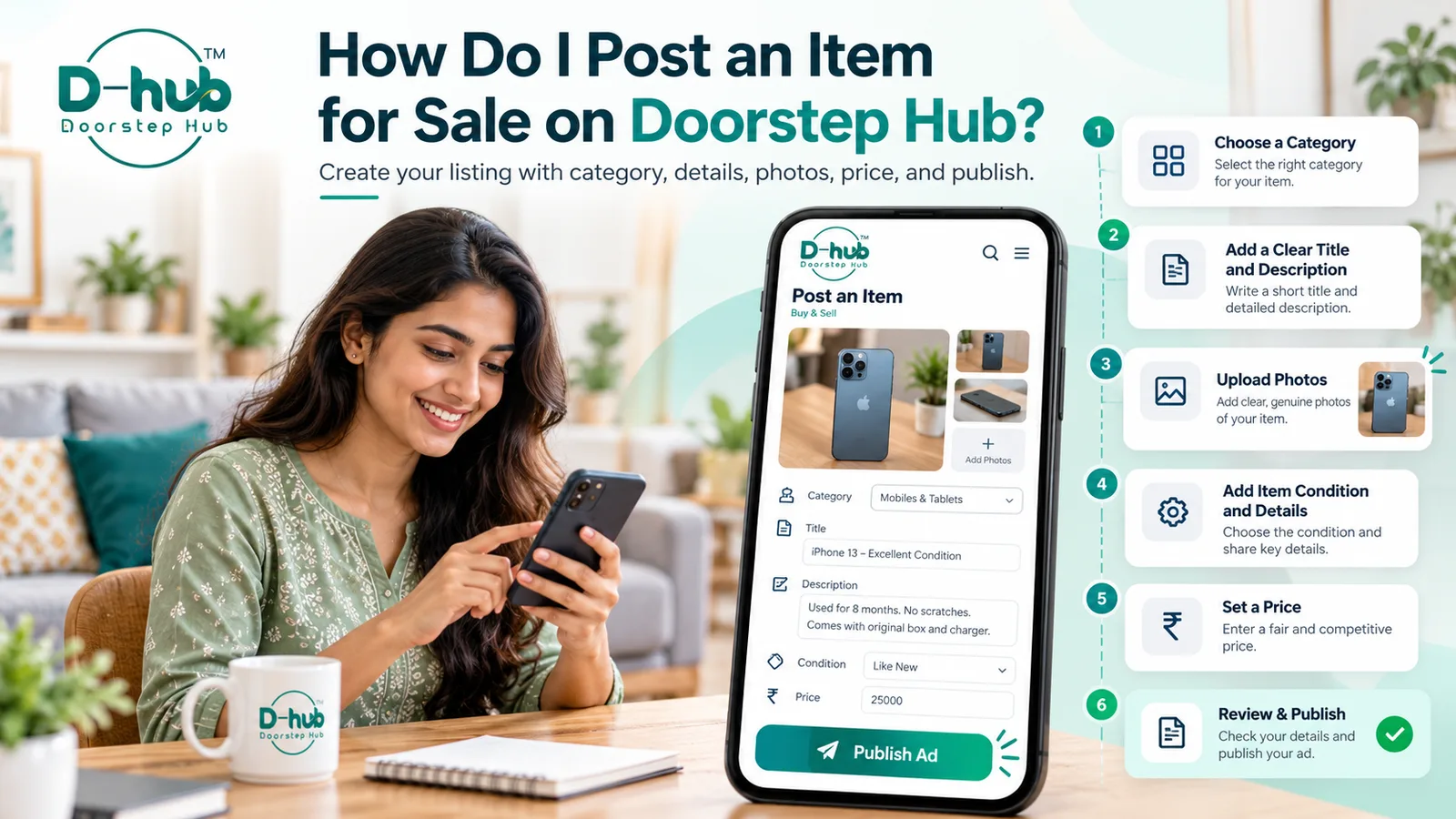
With Doorstep Hub Buy & Sell, you can create and publish your listing by following a few simple steps.
1. Open the Buy & Sell Section
Open the Doorstep Hub website or app and go to the Buy & Sell section.
Choose the Post an Ad option to start creating your listing.
Before continuing, keep the item, its details, and a few clear photographs ready.
2. Select the Correct Category
Choose the category that best matches the item you want to sell.
Selecting the correct category helps interested buyers discover your listing more easily while browsing or searching.
Depending on the item, you may need to select a main category and a relevant subcategory.
Always choose the most accurate category instead of selecting an unrelated one simply to increase visibility.
3. Write a Clear Listing Title
Your title should quickly tell buyers what you are selling.
Include important information such as:
- Product or item name
- Brand
- Model, when applicable
- Important specification
- Condition, when useful
Avoid using unclear titles such as "Item for Sale" or "Good Product."
A descriptive title can help buyers understand your listing before opening it.
4. Add an Accurate Description
Provide useful information about the item in the description.
You can mention:
- Brand and model
- Age of the item
- Current condition
- Important specifications
- Accessories included
- Any repairs or replacements
- Known scratches, damage, or problems
- Reason for selling, if you wish to mention it
Be transparent about the item's actual condition.
Accurate information can help buyers make better decisions and may reduce unnecessary enquiries.
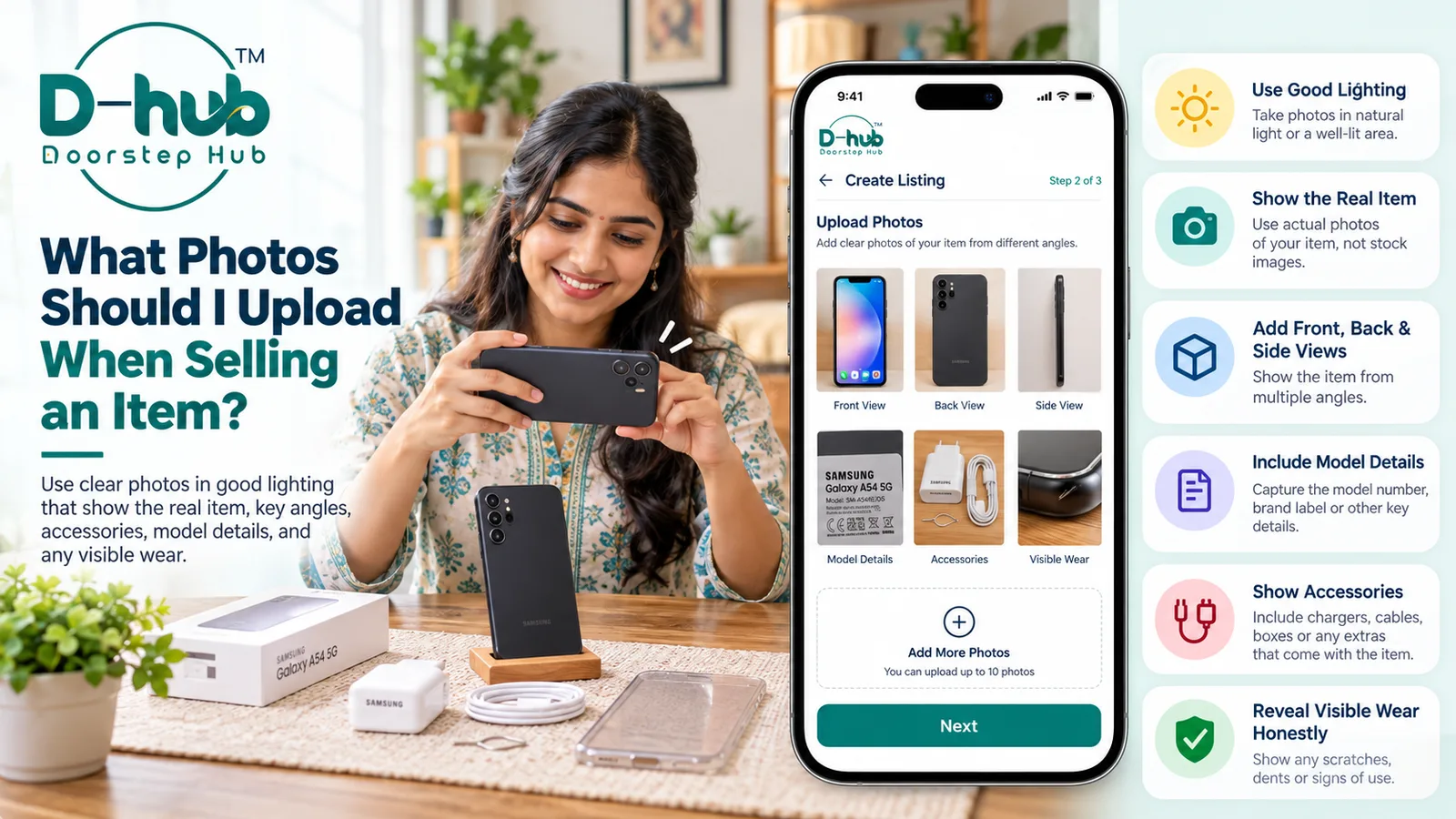
5. Upload Genuine Photos
Clear photographs are an important part of a Buy & Sell listing.
Upload genuine photos of the actual item you are selling.
For Better Listing Photos
- Take photos in good lighting.
- Keep the item clearly visible.
- Use a clean background where possible.
- Upload photographs from different angles.
- Show important features and accessories.
- Include visible scratches or damage when relevant.
- Avoid misleading or heavily edited photographs.
Real and clear photos can help buyers understand the item's condition before contacting you.
6. Select the Item Condition
Choose the condition that most accurately describes your item.
Depending on the available options, this may include conditions such as:
- New
- Like New
- Good
- Fair
- Used
Do not describe an item as new or like new if it has noticeable usage, damage, or defects.
Providing the correct condition helps set realistic expectations for buyers.
7. Add Important Item Details
Depending on the category, you may be asked to provide additional information.
This could include:
- Brand
- Model
- Purchase year
- Size
- Colour
- Storage capacity
- Warranty information
- Specifications
- Accessories
- Other category-specific details
Providing complete information makes your listing more useful and can reduce repeated questions from interested buyers.
8. Set Your Asking Price
Enter the amount you would like to receive for the item.
Before setting the price, consider factors such as:
- Original purchase price
- Age of the item
- Current condition
- Included accessories
- Market value of similar used products
- Any repairs or visible damage
Choose a realistic asking price based on the item's actual value and condition.
9. Review Your Listing Before Publishing
Before publishing your advertisement, carefully review all the information you entered.
Check:
- Listing title
- Description
- Category
- Product condition
- Photos
- Specifications
- Asking price
- Contact or listing information
Correct any spelling mistakes, incorrect specifications, missing details, or unclear photographs before publishing.
10. Publish Your Ad
Once you are satisfied with the information, publish your listing.
Your advertisement can then become available to buyers browsing the Doorstep Hub Buy & Sell section according to the platform's listing process.
If required, you can manage your listing from your account and update relevant details when necessary.
Tips for Creating a Better Buy & Sell Listing
A good listing should be clear, genuine, and informative.
For better results:
- Use genuine photographs.
- Provide the correct product condition.
- Mention known defects honestly.
- Write a clear title.
- Include important specifications.
- Set a reasonable asking price.
- Keep your description easy to understand.
- Review all information before publishing.
Avoid providing misleading information or hiding significant problems with the item.
Clear and accurate listings can help create a smoother experience for both buyers and sellers.
Sell Your Items with Doorstep Hub Buy & Sell
Have something you no longer use?
With Doorstep Hub Buy & Sell, you can create a listing, add your item details and genuine photographs, set your asking price, and connect with interested buyers.
Whether you are selling electronics, home appliances, furniture, mobiles, vehicles, or other supported used items, provide accurate information so buyers can understand exactly what you are offering.
Start Selling on Doorstep Hub
📞 Helpline: 8886688666
🌐 Website: doorstephub.com
📲 Download the Doorstep Hub App
Create a clear and genuine listing today and make it easier for interested buyers to discover your item.
Frequently Asked Questions
Common troubleshooting questions answered by our specialists
Was this article helpful?
Your feedback helps us improve our repair guides and service tips.